
Alarm Monitoring 24/7
Want to try Alarm Monitoring 24/7 for your cooling systems?
Alarm Monitoring 24/7
Alarm Monitoring 24/7 provides a dependable, professional, and personalised solution for continuous monitoring and management of alarm systems. Our support team remains hands-on to oversee your installations, providing support whenever alarms occur. This dedicated team manually assesses and filters the alarms, so you have far fewer incidents. On average, you receive about 90% fewer alarms.
Furthermore, you can be confident of receiving even better support if a critical alarm is triggered: our staff is on the line, prepared to offer helpful advice in an urgent situation.
No critical alarms lost
Our alarm centre is operated by skilled people, providing active monitoring 24/7/365. We guarantee fewer alarm disruptions and that no critical alarms get lost in the flood.

The notification steps of Kiona's Alarm Monitoring 24/7
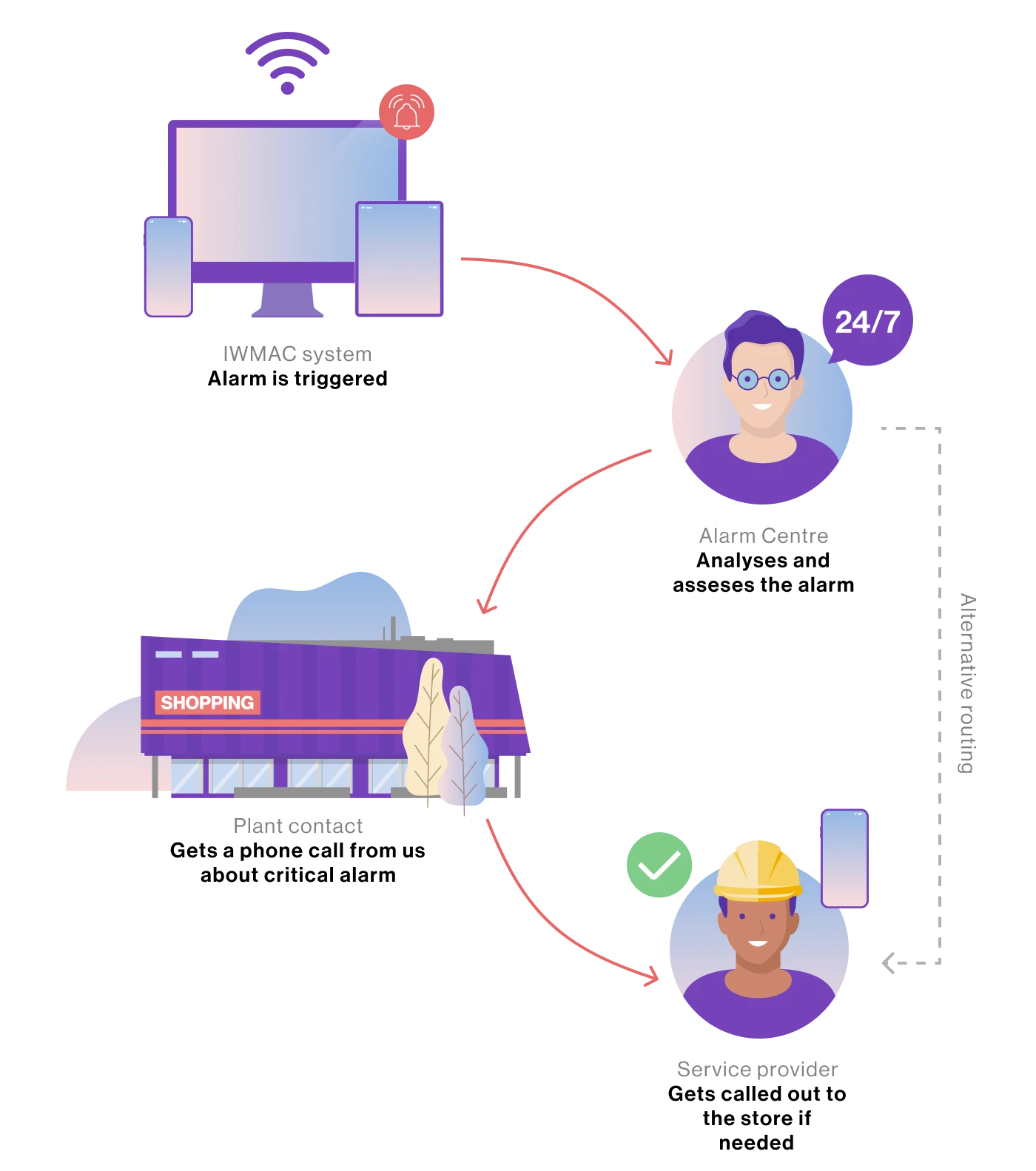
Kiona guarantees
This cost-effective service offers continuous 24/7/365 monitoring. We ensure fewer alarm interruptions and a more restful night's sleep, ensuring no critical alarms are missed. And that's not all: if we misjudge the situation, we will cover the cost of any lost inventory, up to EUR 1 million.
All things alarms
Settings, block, alarm history, follow-up, Alarm split
On the alarm page, you can manage and monitor alarms in several ways. You can view all active alarms, access the alarm history, and see a detailed log showing when alarms were activated and deactivated. The alarm history can easily be exported to an Excel file.
You can also view statistics that show how often each alarm has been triggered, helping you identify the most frequent alarms. For all views, you can select a date range to display data only from a specific period.
It is possible to block alarms for a period of time, or maybe you want to add or remove a user to get alarm copies.
Alarms can also be split up so that stores can receive high-temperature alarms, while technical alarms can be sent to contractors or chains.

Types of alarms:
- Communication failure with the IWMAC system
- Alarm transmission failure
- Alarms in the regulator; these vary depending on the type of regulator
- Cooling alarms: High temperature, low temperature, low fluid level in the cooling machine, low suction pressure, etc.
- Ventilation alarms: Filter alarms, frost guard, fan differential, etc
Learn more about alarm handling in IWMAC