

Organise your shift plans and to-do lists well in advance of your vacation, and take some well-deserved time off, knowing that everything is under control. Here's your checklist, and everything you need to know if you're the one holding down the fort.
Give yourself a week's head start
Our best tip? Don't wait until the day before you leave. Do these checks at least a week ahead. That way, you'll have time to fix any outdated contacts, get in touch with external service partners, and ensure your system is properly set up. It also means your final days in the office can be spent wrapping up your actual work.
Five-minute quick check
- Is your duty list updated (and showing someone actually available)?
- Is the call list correct and in the right order?
- Are everyone's phone numbers up to date?
- Is Alarm Monitoring 24/7 switched on and set up right?
- Have you let your service partner know about your time away?
Holiday checklist – step by step
1. Update the duty list
Alarms don't take breaks. Ensure there is always someone on the duty list who is available. If it's your turn to go on holiday, remember to hand your duties over to a colleague. IWMAC makes this simple:
- Log in to IWMAC.
- Head to the Operation Center.
- Open Alarm settings.
- Click "Take over duty".
User management – How do I take over as a guard / assume duty?
2. Check the call list
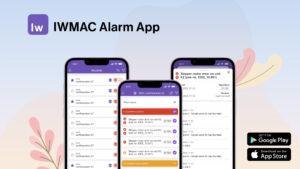
An alarm goes off. Who gets the call first? Take a moment to review the list of contacts. The right order matters; put those on duty, or most likely to respond, at the top. Also, double-check that every phone number on the list is up to date.
3. Inform service companies or partners
If you've got a service company or a Kiona partner looking after things, drop them a quick e-mail or call so they know who's in charge while you're away. That way, if something goes sideways, everyone's clear on the next step and who to contact.
4. Check Alarm Monitoring 24/7
If you use the Alarm Monitoring 24/7 feature, you already have a great layer of security in place. This service keeps a watchful eye on your facility around the clock.
Before you leave, log into your IWMAC dashboard and confirm that the call list tied to your 24/7 monitoring is fully updated. If our alarm centre team spots an irregularity, they need to know exactly who to ring to resolve it quickly.

On duty and need help?
Need help troubleshooting or making sure the right people stay in the loop? Visit our support page to find useful articles, submit a support ticket, or chat live with our team.

That is it – duty lists sorted, cooling disks ready, and you're all set. Best of luck to all our Kiona partners in the busy season. Crossing fingers for smooth shifts and confident problem-solving all summer long!
Got other questions or looking to learn more?